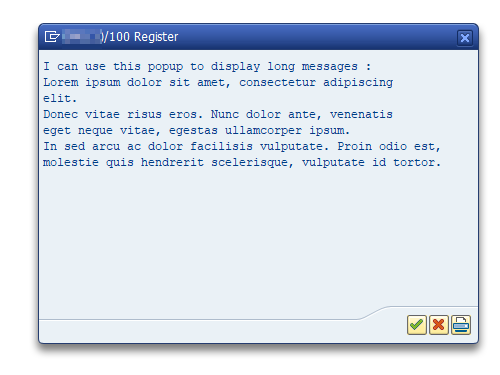
Use FM POPUP_WITH_TABLE_DISPLAY_OK :

EDIT : Warning, solution below will work only if there is an accentuated caracter in first line.
Wrong encoding format file is a reccurent issue, especially when working on Windows.
If you don’t want to impose to end used an encoding format for text files, you can use the code below.
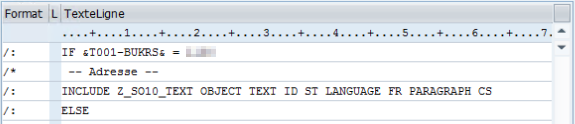
Let’s say we have a paragraph to center text declared as CS, to use this paragraph on an include text, add PARAGRAPH <paragraph name> at the end of INCLUDE TEXT declaration :
INCLUDE Z_SO10_TEXT OBJECT TEXT ID ST LANGUAGE FR PARAGRAPH CS

Use code below :
" ADRP-NAME_FIRST : First name
" ADRP-NAME_LAST : Last name
" ADRP-NAME_TEXT : Full name
DATA : lv_usrid TYPE XUBNAME,
lv_name_text TYPE ADRP-NAME_TEXT.
" [...]
SELECT SINGLE adrp~name_text INTO lv_name_text
FROM usr21 JOIN adrp ON usr21~persnumber = adrp~persnumber
AND adrp~date_from = '00010101'
AND adrp~nation = ''
WHERE usr21~bname = lv_usrid.
To insert a BR in a string char, use the following constant :
cl_abap_char_utilities=>cr_lf
Search tag : CrLf, retour chariot, ligne, newline, new, carriage return
Check the step by step process here : https://blogs.sap.com/2013/07/18/step-by-step-guide-to-transport-table-contents-from-one-environment-to-other-in-sap/ .
Key to put in Development/Correction TO task :
| Short description | Prog. | Obj. | Obj. name | Fun |
|---|---|---|---|---|
| Table Contents | R3TR | TABU | <Table name> |
|
Click on this Icon to add lines to transport (precise the keys)
Search tags : OT, TO, order, donnée
To edit the shipping point information (data stored into TVST table), use transaction OVXD.
Search tag: d’expé, d’expédition, VSTEL
The method below enables to convert standard texts to string (with carriage returns). It can be useful when standard texts need to be changed or completed before being printed on Adobe forms.
(Otherwise, it is recommanded to use the standard text objet for Adobe forms).